

When wedding planning, what’s the winning communication tool? Mood boards streamline visual ideas—perfect for nailing a vibe. Written briefs? They’re your non-negotiable ally for detailed logistics. Reference photos? Think precision, showing exactly what you want replicated. It’s not about Pinterest fluff; it’s project management with hustle. Strategically use all three to drive your big day to the finish line like the career pro you are. Stick with me, and we’ll break down how to execute this.
Quick verdict: Mood Board vs. Written Brief vs. Reference Photos (who each is best for)
When you’re juggling wedding planning like a high-stakes project at work, choosing between mood boards, written briefs, and reference photos isn’t just about aesthetics—it’s about implementation. You need tools that get the job done swiftly and strategically. Mood board effectiveness shines in visual communication, transforming abstract ideas into concrete visuals. They facilitate collaborative discussions, aligning team visions and objectives, and act as a creative repository offering snapshots of collective inspiration. Written briefs, with their structured format, offer design communication types that guarantee no detail is missed, keeping vendor brief formats in check. Reference photos? They’re your secret weapon for testing user behavior before finalizing your design.
Here’s a quick rundown:
- Mood Boards: Perfect for quick alignment.
- Written Briefs: Essential for documentation.
- Reference Photos: Ideal for validating designs.
- All Together: Streamline your project implementation.
Ready to pivot your planning? Choose wisely and execute with precision.
At-a-glance comparison: Mood Board vs. Written Brief vs. Reference Photos
Although wedding planning can feel like a whirlwind, mastering the art of communication tools can turn chaos into clarity. Understanding vendor communication methods is vital. Here’s a quick comparison:
| Method | Strengths | Weaknesses |
|---|---|---|
| Mood Boards | Visual clarity and emotional nuance | May need supplementation for detailed specs |
| Written Briefs | Structured, detailed, and specific | Prone to interpretation gaps without visual support |
| Reference Photos | Direct visual examples | Lack narrative and extensive context |
Mood boards provide a strategic advantage by aligning visual language with your vision, accelerating feedback loops. Written briefs, while precise, often need the oomph of visuals to get the job done. Reference photos? Handy, but don’t rely on them alone. Pivot your approach based on your project’s needs. Mood boards are particularly essential in the packaging design process, where they align ideas among brand managers and designers, ensuring effective communication and resonance with the audience.
Define the options (so you’re comparing the right things)
Understanding the differences between a mood board, a written brief, and reference photos is essential to avoiding costly missteps in your wedding planning process. A mood board visually captures your event’s energy and style through curated images and textures, while a written brief outlines your project goals and aesthetics in text form, often leading to misunderstandings if not executed well. Reference photos offer tangible examples to clarify abstract ideas, ensuring everyone’s on the same page; think of them as non-negotiable visual benchmarks that keep your project on track and strategically aligned. Mood boards are visual collections of design elements, including colors, textures, and imagery, that set the visual direction and share ideas with stakeholders. If you’re sourcing DIY wedding craft supplies for your celebration, clearly distinguishing between these tools helps vendors and collaborators understand your vision and deliver the perfect result.
Mood Board: what it is, what it includes, and the common misconceptions
Mood boards are your secret weapon in the chaotic world of high-energy wedding planning. They’re not just pretty collages; they’re strategic visuals that streamline your vision. Execute your wedding’s vibe with a dynamic mix of color palettes, typography, and photography. You’re not just dreaming; you’re building. A mood board gets the job done by clearly defining your aesthetic goals, eliminating guesswork, and aligning your team on a shared vision. This isn’t about “Pinterest perfect” fluff; it’s about intentional, controlled chaos. Avoid the misconception that mood boards are mere eye candy. They’re project-specific power tools that pivot ideas into reality. Incorporating inspiration from Instagram wedding planning and real wedding photography can elevate your mood board by providing tangible examples of what works beautifully in real events. Next, get your hands on a clear checklist to guide your mood board creation and streamline your planning process. Remember, a well-designed website enhances branding and user experience, which is essential to ensure that your wedding plans are executed with precision and creativity.
Written Brief: what it is, what it includes, and the common misconceptions
When you’re knee-deep in wedding planning chaos, a written brief is your strategic ally that cuts through the noise. It’s a one to two-page powerhouse that outlines the who, what, when, where, and why of your wedding project. Think of it as your high-level, no-nonsense roadmap. This document includes project goals, strategies, timelines, deliverables, and more. It’s concise, delivering only the essentials—no fluff, just clarity. Common misconceptions? It’s not as detailed as a full project plan, doesn’t explore budgets, and differs from a project charter. Created post-approval, it aligns your team like a well-oiled machine. A project brief is typically written by the project manager, who collaborates with team members and stakeholders to finalize project details. Ready to kickstart efficiency? Grab your checklist, align your stakeholders, and let’s get moving—strategically and seamlessly.
Reference Photos: what it is, what it includes, and the common misconceptions
Ready to shift gears from written briefs to reference photos? Let’s talk strategic execution. Reference photos aren’t just pretty pictures; they’re your visual toolkit. They capture anatomy, lighting, and spatial relationships with exacting detail. Want to nail those wedding portraits? Use high-resolution images from multiple angles—above, below, side views—for thorough coverage. Strategically combine elements from various photos to create something unique. But don’t fall into the trap of thinking photos replace your skills; they’re supplements, not shortcuts. Forget Google Images; take your own shots and build a personal library—copyright safe and problem-free. Remember, a single photo is never enough. Pivot, blend, and recolor in Photoshop for originality. Now, grab your camera and start snapping! Artists’ Perspectives on Using References reveal that using them can sometimes feel like a crutch, but they are crucial tools for creating dynamic and accurate art.
Cost breakdown (upfront vs hidden costs)
When you’re weighing mood boards, creative briefs, and reference photos, it’s essential to address both upfront and hidden costs that can catch you off guard. Upfront, mood boards and briefs might seem budget-friendly with free tools and minimal printing, but watch out for hidden costs like endless revisions and digital conversions that quietly inflate your expenses. Clear expectations should be established at the outset of a project to avoid these pitfalls. The real cost drivers? It’s the time you lose in endless alignment meetings and the surprise fees from licensing that derail your streamlined plan.
Line-item cost comparison by tier/budget
Steering through the labyrinth of wedding planning costs can feel like herding cats in a thunderstorm, but let’s bring some clarity to the chaos. Think of your budget as a strategic weapon—know the line-item costs and wield them wisely. Here’s a streamlined comparison:
| Tier/Budget | Line-item Cost |
|---|---|
| Day Rate | £xxxx |
| Per-File | £xx |
| Physical Mood Board Materials | Varies |
| Digital Tool Subscription | Varies |
| Hidden Costs | Unpredictable |
Choosing between digital and physical mood boards impacts both upfront and hidden costs. Digital tools like Figma pivot towards efficiency, while physical boards demand tactical maneuvering with logistics. Keep tabs on these costs, make intentional decisions, and align your vision with your non-negotiable budget. Understanding the importance of visual references for aligning client expectations is crucial in deciding whether to invest in digital or physical mood boards. Next step? Execute and adjust dynamically.
What actually drives cost changes
Let’s explore what actually drives those sneaky cost changes in wedding planning. It’s all about balancing upfront and hidden costs. Here’s how they impact you:
- Extra Revisions: Every extra tweak you ask for ramps up labor costs and stretches timelines. Define your vision early to avoid this trap.
- Licensing Fees: Surprise! Subscription fees and digital assets add a 20% buffer. Keep an eye on these to protect your budget.
- Scope Creep: Undefined projects mean extra work, morphing the initial plan. Set clear boundaries to keep things in check.
- Hidden Fees: Shipping, taxes, and warehouse costs can be stealthy budget busters. Transparency here is non-negotiable.
Reality Check: Overlook these, and you’ll be “bless and stressed.” Strategize early to dodge cost overruns.
Planning workload & logistics impact
When juggling mood boards, written briefs, and reference photos, you’re balancing time, complexity, and coordination like a boss. Mood boards are your shortcut to inspiration, but remember, they can morph into a time-sink if not strategically managed. Meanwhile, written briefs and reference photos demand more upfront coordination, yet they streamline vendor availability and flexibility—because who has time for endless back-and-forth? Incorporating stress management strategies from Duke’s wellness guidance can help you stay focused and effective as you plan and prioritize.
Time, complexity, and coordination differences
Steering the planning workload and logistics impact of wedding projects can feel like juggling flaming chainsaws, but with the right approach, you’ll execute like a pro. Time, complexity, and coordination play pivotal roles in choosing between mood boards, written briefs, and reference photos. Here’s the breakdown:
- Time Efficiency: Digital mood boards are quicker than physical ones, leveraging tools like Miro for rapid updates.
- Complexity Management: Written briefs provide clarity but add layers without visuals; mood boards simplify with instant visual language.
- Coordination: Collaborative tools streamline team alignment, making mood boards a non-negotiable asset.
- Execution: Strategic use of mood boards accelerates decision-making, aligning everyone from photographers to clients.
- If you’re looking for Pinterest wedding planning inspiration boards and a quick way to visually collect ideas, digital mood boards serve as both a coordination tool and an endless source of creativity.
Vendor availability + flexibility considerations
Though vendor availability might feel like wrestling with an octopus, strategic planning gets the job done. You’ve got to think ahead—6-9 months early—making sure vendors can meet your ambitions. Changes in economic trends and hybrid demands mean vendors can be as elusive as a unicorn at times. Your secret weapon? Flexibility.
- Flexible contracts: They’re non-negotiable—89.7% of organizers swear by them.
- Open policies: Use non-venue vendors for tailored experiences and cost savings.
- Vendor adaptability: Hybrid events need flexibility, reducing cancellations by 15%.
- Continuous check-ins: Avoid surprises and keep everyone aligned.
Reality Check: Hybrid formats demand double duty—prep time’s up 38%. Make certain your vendors pivot smoothly between in-person and virtual, keeping your wedding kinetically precise. Considering the insights from marriage psychology, effective planning and clear communication with vendors can also strengthen your partnership as you navigate the complexities of wedding logistics together.
Guest experience impact
When it comes to your guests’ experience, execution is everything—forget perfection, aim for strategic brilliance. Perception hinges on how seamless and personalized the event feels, with friction often showing up where plans lack precision or adaptability. Use tools like timelines and checklists to identify potential bottlenecks, and pivot swiftly to keep the energy and satisfaction high—because nothing says “we’ve got this” like a well-oiled machine.
How guests perceive it + where friction shows up
In the high-octane world of ambitious wedding planning, how guests perceive your event can make or break the experience. Mood boards are your secret weapon—executed strategically, they streamline how guests interpret your wedding’s visual style and mood. When words fall short, visuals do the heavy lifting, ensuring everyone’s on the same page. Here’s how mood boards reduce friction:
- Eliminate guesswork: Concrete visuals tell guests exactly what to expect.
- Unify perceptions: Color palettes, textures, and photos align everyone’s vision.
- Speed up feedback: Instant visual references mean fewer back-and-forths.
- Prevent misinterpretation: No more vague descriptions leading to chaos.
Reality check: While visuals get the job done, don’t forget to back them up with clear, concise briefs. For those looking to enhance their guest experience even further, using a wedding vendor marketplace like GigSalad can help you discover entertainment and services that perfectly match your event’s vision.
Best-fit scenarios (choose based on constraints)
When you’re juggling a high-stakes wedding with a full calendar, choosing the right tool for your planning arsenal is non-negotiable. A mood board is your go-to for expressing a vibe when words just won’t cut it, while a written brief gets the job done for nitty-gritty details and streamlined execution. If you’re building a visual library to reference, pick reference photos to strategically gather inspiration without overthinking—just capture, move, and execute.
Choose Mood Board if…
Opt for a mood board when you’re steering through the wild ride of wedding planning and need a visual roadmap that gets the job done efficiently. It’s ideal for ambitious couples who value efficiency over tradition and demand a streamlined approach. A mood board acts as your visual playbook, setting a clear direction without the headache of misinterpretation or endless revisions.
- Holistic View: Spot color and texture mismatches before they become costly mistakes.
- Client Alignment: Build trust with collaborative tools like Figma for quick feedback.
- Creative Spark: Trigger inspiration and confidence, guiding your design journey.
- Efficiency Gains: Save time and money by addressing issues early on.
Reality check: Mood boards work best when you’re ready to move fast and stay focused. For even more inspiration, explore how Anthropologie official wedding decor can be seamlessly integrated into your vision for a unique and elevated event.
Choose Written Brief if…
Although wedding planning can feel like maneuvering through a minefield of expectations, a written brief is your strategic ally when clarity is non-negotiable and communication needs are sky-high. It’s the toolkit that guarantees your ambitious, no-nonsense wedding plan gets executed with precision. Here’s why it’s your go-to:
- Communicates Clearly: Establishes effective communication beyond verbal discussions.
- Defines Boundaries: Outlines scope, deliverables, and constraints to prevent scope creep.
- Aligns Stakeholders: Guarantees everyone moves toward the same vision and objectives.
- Saves Time and Resources: Avoids costly misunderstandings and keeps the project on track.
When crafting your brief, remember that addressing practical wedding catering tips early on can make your event run more smoothly and help align your catering team with your overall vision. Reality Check: A written brief is your blueprint, but remember, it’s only as good as its execution. Keep it updated and make it your project’s north star.
Choose Reference Photos if…
Ever hit a creative wall while trying to describe the perfect wedding theme? Choose reference photos if you need to execute precision with controlled chaos on your big day. They’re your non-negotiable allies when:
- Capturing intricate details: From shadow curves to fabric textures, photos enhance your vision, preventing inaccuracies.
- Maintaining consistency: Ascertain proportions and lighting stay consistent across multi-subject scenes, avoiding any disjointed chaos.
- Tackling complex compositions: Blend elements from multiple photos to create a cohesive, dynamic scene.
- Managing time constraints: Photos provide a stable foundation, streamlining decisions without endless real-life setups.
Executing a flawless wedding requires strategy. Reference photos move your planning from concept to reality. Next step? Create a gallery of inspiring images to gain momentum and pivot your ideas forward. For even more inspiration, consider how seasonal catering can influence your theme and visual choices, drawing from gourmet wedding menu ideas tailored for every time of year.
Real-world scenarios (examples with numbers)
Imagine you’re planning a wedding with 150 guests, a budget of $50,000, and priorities that scream efficiency over fluff. You don’t have time for the “bless and stressed” nonsense, so let’s strategically use a mood board to convey your vibe, a written brief to outline essential details, and reference photos to pinpoint style specifics. This trifecta moves your wedding planning forward without sacrificing an ounce of your kinetic energy—it’s all about getting the job done smartly. If you choose a Four Seasons luxury wedding venue, you’ll find that their official planning services can seamlessly integrate your mood boards, briefs, and photo references for a truly elegant and efficient experience.
3 sample scenarios: guest count + budget + priorities
When you’re planning a wedding, numbers aren’t just numbers—they’re your non-negotiable guideposts. For a 50-guest bash on a $5,000 budget, prioritize an elegant atmosphere. Use mood boards to capture the essence, reference photos for realistic setups, and written briefs to keep everyone aligned. For bigger gigs, like 300 guests with $50,000, aim for immersive experiences by strategically using mood boards and collaborative tools.
| Scenario | Focus |
|---|---|
| 50 Guests | Elegant atmosphere, mood board precision |
| 150 Guests | Themed consistency, mood board adherence |
| 25 Guests | Cost efficiency, use free mood board tools |
| 300 Guests | Immersive experience, collaborative boards |
| 75 Guests | Visual storytelling, cohesive narratives |
Reality Check: Don’t get lost in aesthetics. Execute efficiently—streamline with mood boards and prioritize what truly matters.
Common mistakes (and how to avoid them)
Steering through the maze of mood boards, written briefs, and reference photos can feel like juggling flaming swords—but fear not, we’re here to streamline your process with precision. Avoid these pitfalls to keep your wedding planning on track:
- Vague or Uncurated Content: Random images muddy your vision. Curate with purpose.
- Overly Literal References: Competitor screenshots aren’t vision; they’re distractions. Focus on essence, not exactness.
- Poor Format Choices: Physical boards limit collaboration. Embrace digital tools for fluid teamwork.
- Missing Context or Explanations: Ever heard “energetic” without a visual? Exactly. Pair words with images for clarity.
Execute with intention, strategically pivot when needed, and remember: clarity is your non-negotiable ally. Keep your process tight, your vision clearer, and your team aligned for high-energy wedding success.
Copy/paste decision matrix template
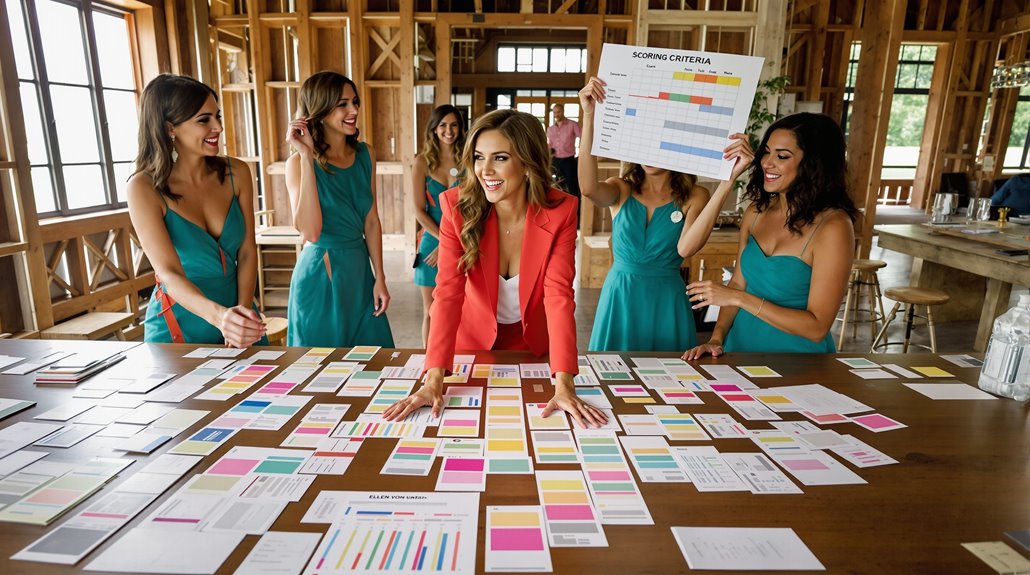
While the wedding industry often romanticizes decision-making, here at Hustle and Bustle Events, we recognize that a well-executed decision matrix is your secret weapon for cutting through the chaos. Forget the fluff—our copy/paste decision matrix template is here to strategically streamline your wedding planning. It’s all about scoring options against consistent criteria, ensuring every choice is objective and bias-free. Want your partner’s input? Perfect. This tool facilitates collaboration, building consensus and shared responsibility like a boss. Break down complex decisions into manageable moves, weighing options with a clear scoring system. Ready to accelerate your planning? Define your criteria, assign weights, and let the matrix get the job done. You’ll pivot from indecision to action in no time.
FAQ (quick answers to common edge cases)
When you’re stuck between two options, strategize by evaluating impact and feasibility—think of it as an executive decision matrix without the jargon. To reduce risk, ask vendors pointed questions to nail down assumptions, ensuring nothing’s left to chance. If your guest count unexpectedly swings by 20%, pivot with a streamlined fallback plan that’s already in your back pocket; it gets the job done without breaking a sweat.
What if I’m stuck between two options?
Stuck between two options? Don’t worry—here’s how to pivot strategically. If you’re torn between a mood board and a written brief, think about what gets the job done faster. Mood boards are the go-to for visual flair—great for capturing the vibe of a high-energy wedding. Meanwhile, written briefs excel in nailing down those non-negotiable details, like timelines and budgets—essential for any project management pro.
Feeling indecisive? Combine forces! Embed a mood board in your brief to streamline both visuals and details. Keep it digital for easy sharing; Miro or Canva can accelerate collaboration. Remember, it’s about execution, not perfection. What’s your next move? Decide, execute, and keep that kinetic momentum going. No time for bless and stressed. Move it!
What’s the easiest way to reduce risk with either option?
To reduce risk in your wedding planning, centralize your references like a pro. Gather all your images and materials in one place—think Google Images, StudioBinder, or Adobe tools. This isn’t just about saving time; it’s about streamlining your process. Leverage apps for collages or organized albums to guarantee nothing gets lost in the chaos. Use high-resolution originals and annotate them. Add hex codes, font details, and rationale—this is your blueprint, not a Pinterest board. Keep your visual cues cohesive and on-brand. Tools like Figma or Canva aren’t just trendy—they’re non-negotiable for real-time collaboration. Forget the fluff; focus on a unified theme. Execute with precision and clarity. Next up, clarify your vision with vendors—don’t leave it to chance.
What should I ask vendors to confirm assumptions?
Even the most well-oiled wedding planning machine can grind to a halt without clear vendor communication. So, ask vendors the right questions to confirm assumptions and prevent hiccups. First, clarify timelines: When’s the last call for changes? Next, confirm non-negotiables. Got a must-have floral arrangement? Make sure it’s on their radar. Immerse yourself in details: Who’s handling the setup, and what’s their backup plan if something goes awry? Discuss roles—who’s the point person on the day? Payment schedules? Iron those out early. Get vendors’ input; they might have killer insights. Schedule regular check-ins to keep everyone aligned. Trust me, a little proactive questioning can save you from a lot of reactive scrambling. Now, get those systems humming and watch your vision get executed.
What changes if my guest count swings by 20%?
When your guest count swings by 20%, it’s time to pivot and strategize like a pro. First, don’t panic—negotiating room blocks with hotels can accommodate a 15-20% change without hefty penalties. Modify your blocks within the flexibility window (72 hours to 2 weeks pre-event) for a smooth adjustment. Oversize by 10-20% to handle surprises without extra costs. Catering budgets can drop 10-15% with fewer mouths to feed, but watch per-person costs—they’re a budgeting black hole. If your venue lacks flexibility, you might need a venue upgrade or seating shuffle to maintain your vibe. Lock in changes with vendors 4-6 weeks out to dodge rush fees. Remember: strategic moves now mean fewer headaches later.
What’s the best fallback plan if something goes wrong?
Things go wrong—welcome to life. When chaos strikes, you need a plan that’s as sharp as you are. With Hustle and Bustle Events, fallback isn’t an afterthought—it’s a strategy. Keep a list of backup vendors and secondary entertainment options ready to deploy. Establish clear vendor schedules to avoid overlap, and always have emergency contacts on hand.
Create detailed contingency plans, prioritizing high-impact issues with a rating scale. Backups for weather, tech, and venues should be non-negotiable. Equip your team with extra tech gear and assign a core team for rapid responses.
Communicate changes swiftly using pre-drafted messages. Keep everyone in the loop—clients, staff, attendees. Your wedding isn’t just a day; it’s a well-executed mission. Now, execute.
Next steps: make the decision + execute the plan
Before you dive headfirst into the chaos of wedding planning, let’s commit to executing a plan that doesn’t just survive but thrives. You’re not just dreaming—you’re moving, pivoting, and gaining ground. Execution is non-negotiable. Here’s the strategic play:
- Centralize: Use Google Slides or StudioBinder to gather your visual arsenal in one place.
- Curate: Pick visuals that scream your essence. Don’t overthink; just streamline and select.
- Combine: Mix mood boards with written briefs for a holistic view—think clarity meets creativity.
- Execute: Leverage digital tools like Miro for remote collaboration and precision.
Reality check: Over-curating stalls progress. Keep the momentum, focus on action, not perfection. Organize, execute, and let’s get this wedding project done.